
This guide provides instructions for requesting a verification code to be sent to your registered guardian's email address. Follow these steps to successfully locate and manage your primary account PIN settings.
Tip: The Clever PIN can only be reset by a Valor Teacher or IT Support. Contact helpdesk@valorchristian.com to have the PIN reset. Use the guide below to have a Guardian bypass the PIN. This may only be effective until the next required login.
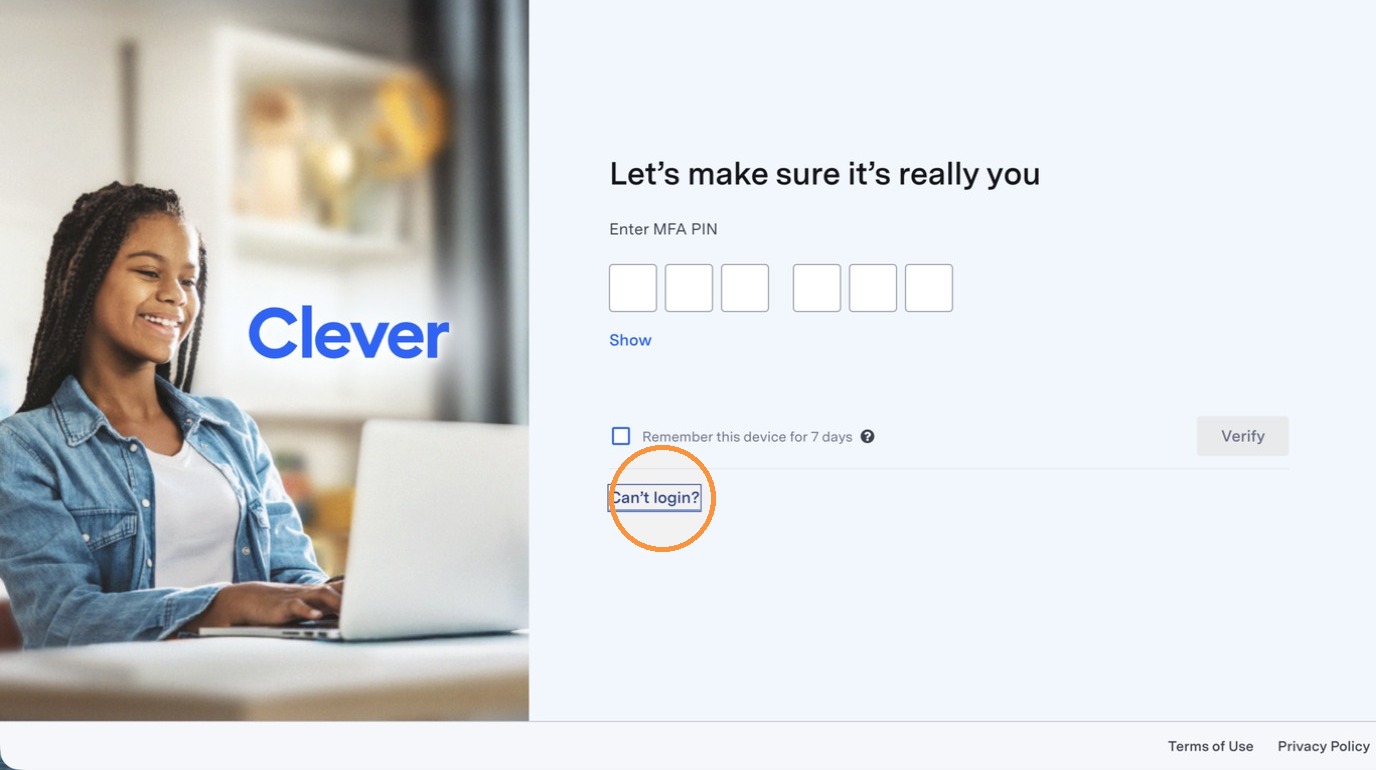
1. Click Can’t login?
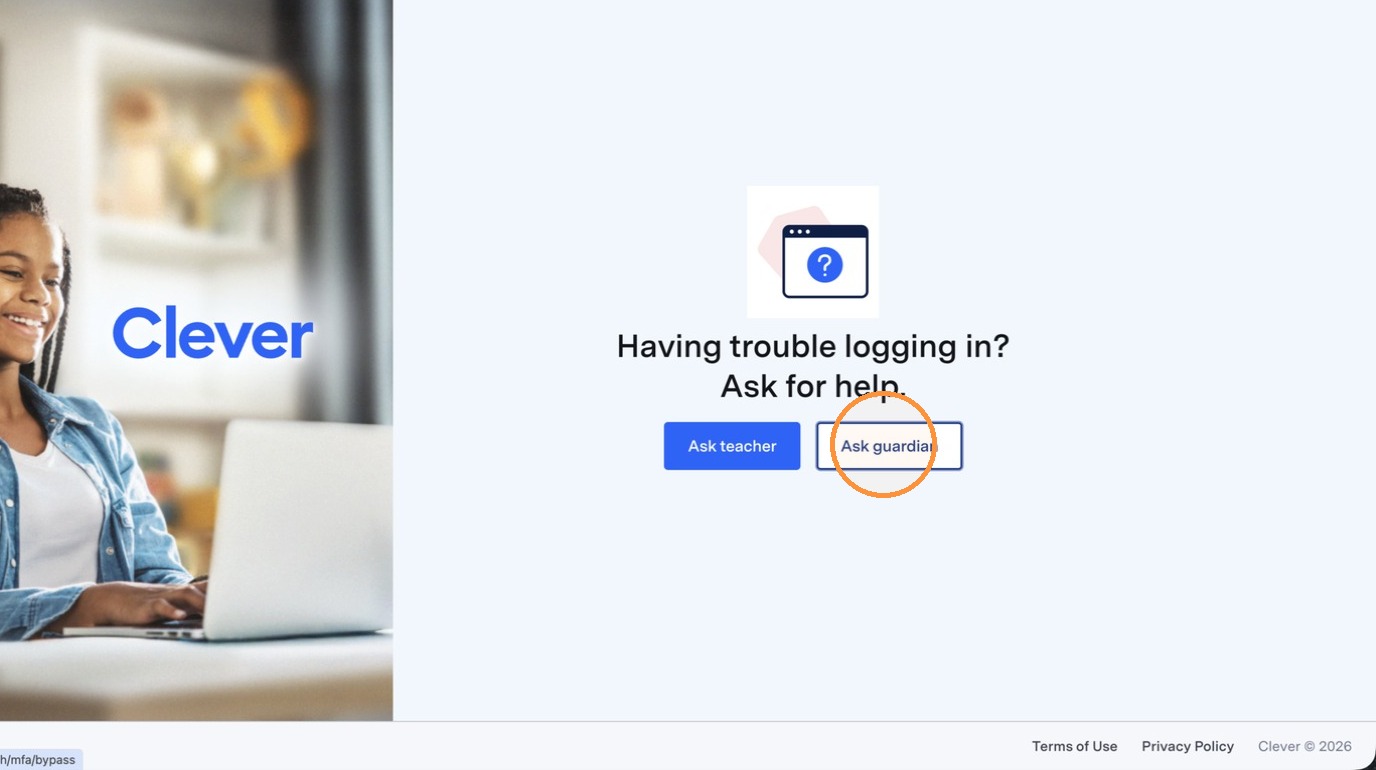
2. Click "Ask guardian"
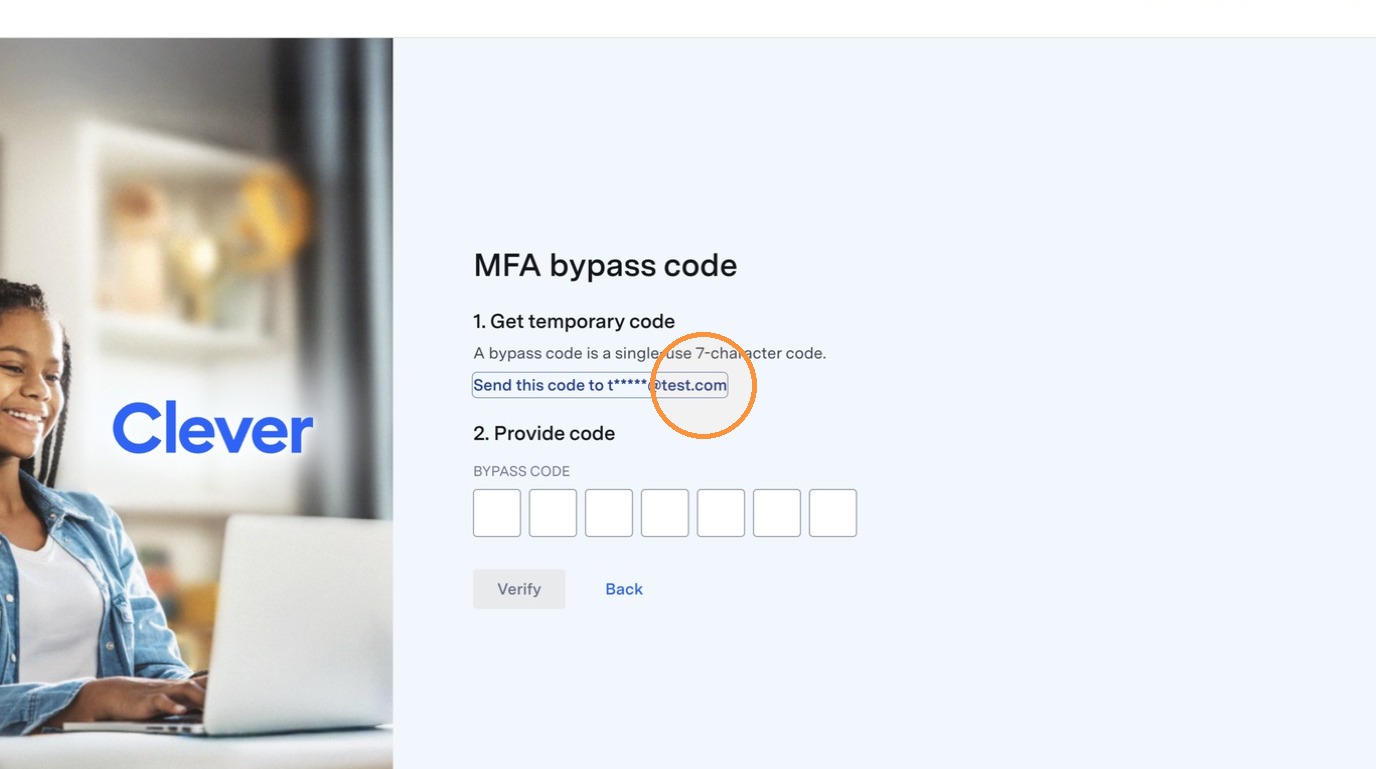
3. A code will be sent to one of your Guardians. It only goes to one Guardian, usually the first in Alphabetical order. View the "Send this code to..." to see which email is being used.
Enter the bypass code sent to your Guardian's email.
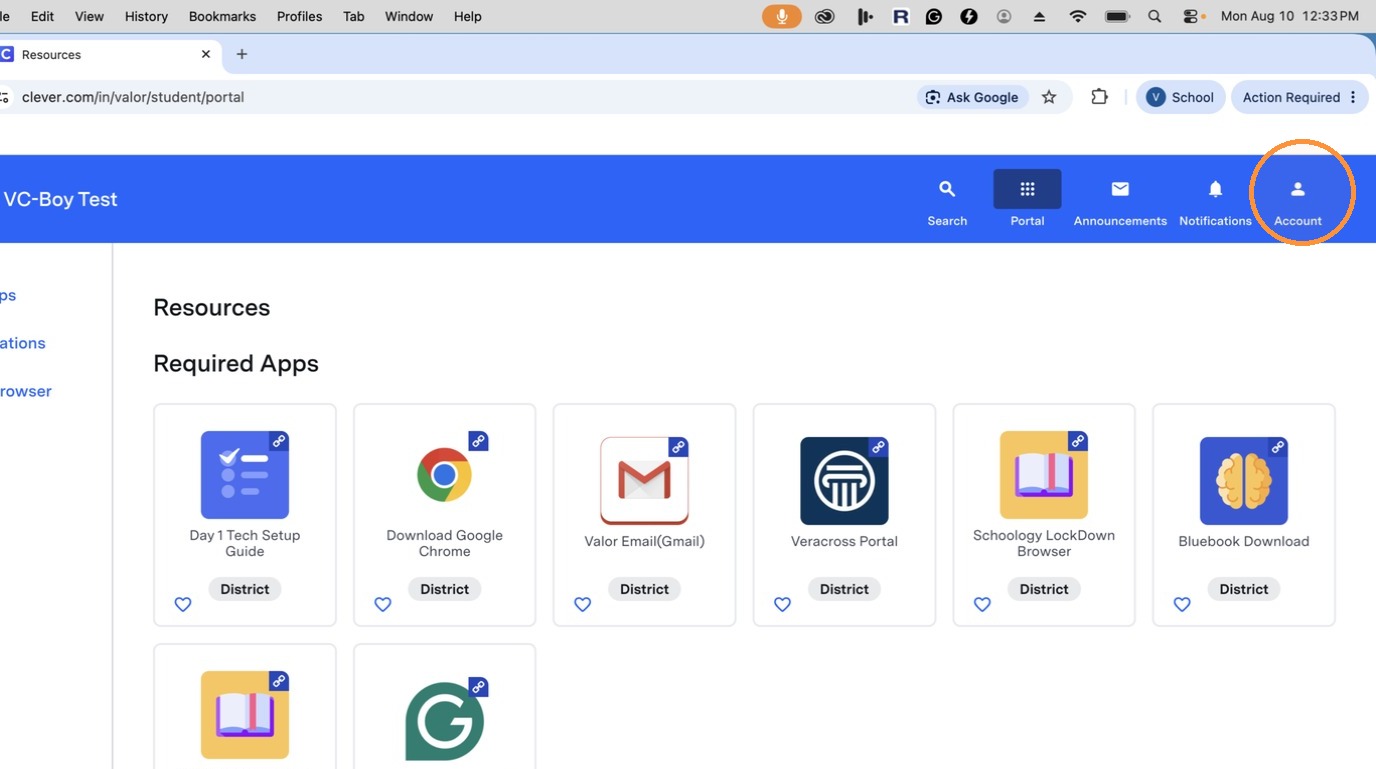
4. You should now have access to your accounts.
Comments
0 comments
Please sign in to leave a comment.